
Download High Sign – Free Mouse Gestures Software for Windows, Mac, Android & iOS
High Sign is a powerful, lightweight mouse gestures tool designed to boost productivity on Windows, Mac, Android, and iOS devices. If you're a fan of keyboard shortcuts but want to explore even faster ways to control your PC, High Sign is a game-changer. This free software allows you to create custom mouse gestures that trigger specific actions—like copying text, launching apps, minimizing windows, or saving files—simply by drawing shapes with your mouse.
With its intuitive interface and advanced training mode, High Sign empowers users to streamline workflows without slowing down their system. Whether you're a power user, developer, or casual computer enthusiast, this secure, fast, and efficient tool integrates seamlessly into any application, including Windows Explorer and third-party software. Despite the lack of formal documentation, the learning curve is minimal thanks to its visual design and real-time feedback.
Download High Sign today and transform the way you interact with your computer.
Key Features of High Sign – Powerful Mouse Gestures for Productivity
High Sign stands out in the crowded field of productivity tools thanks to its robust feature set and ease of customization. One of the most compelling features is the unlimited gesture creation. Unlike many similar tools that limit users to predefined motions, High Sign allows you to design and assign custom gestures for any action you can imagine. Whether it's a quick “Z” to open your favorite browser or a spiral to trigger a system shutdown, the possibilities are endless.
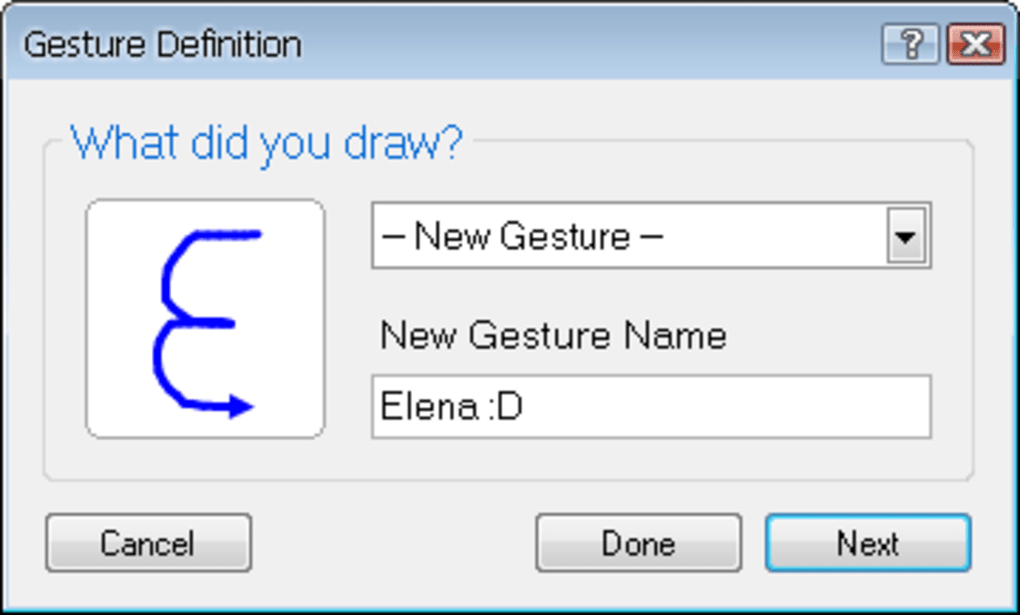
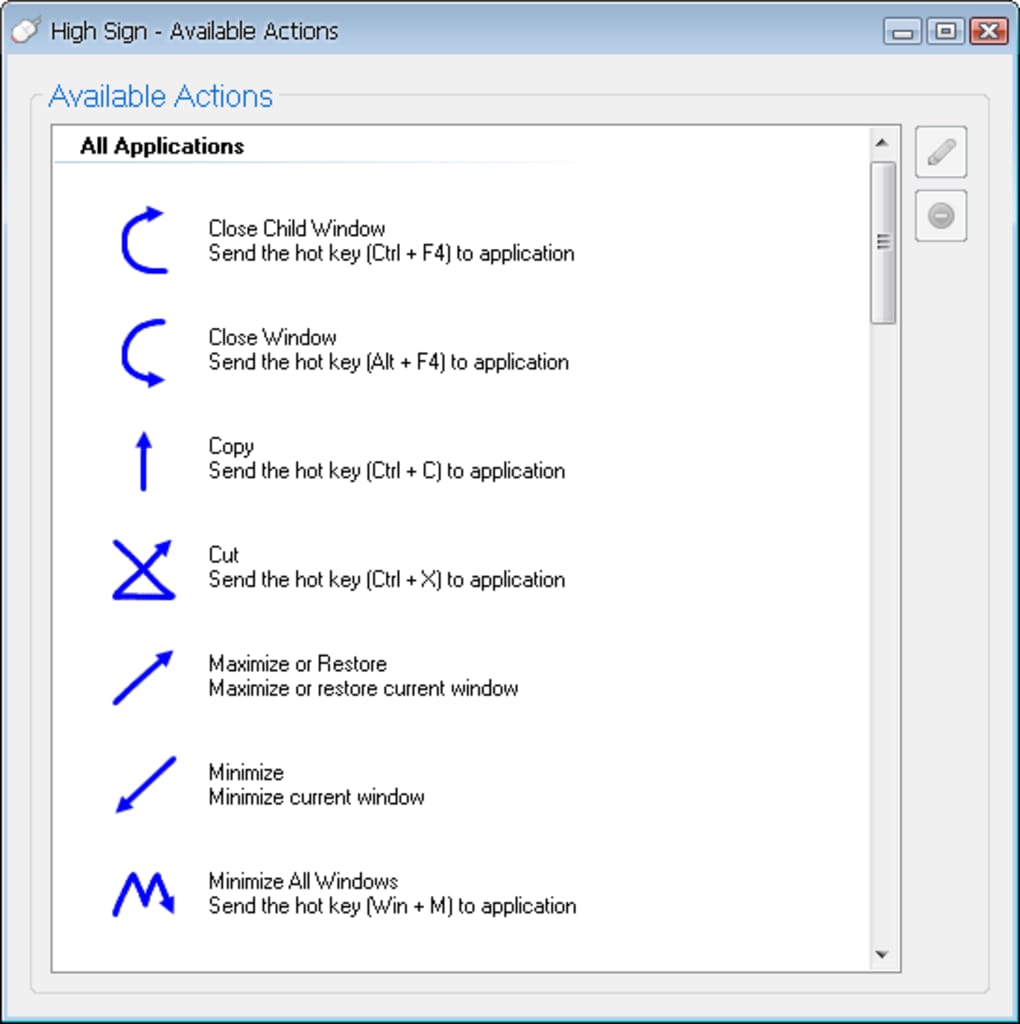
Another standout feature is the Training Mode, which lets you teach the software new gestures in real time. Simply activate the mode, draw your desired shape, and assign it to a specific function—be it launching an app, inserting a text snippet, or controlling media playback. This dynamic learning system makes High Sign highly adaptable to your workflow. The software also supports system-level actions like copy, paste, undo, minimize, maximize, and close, making it ideal for daily use.
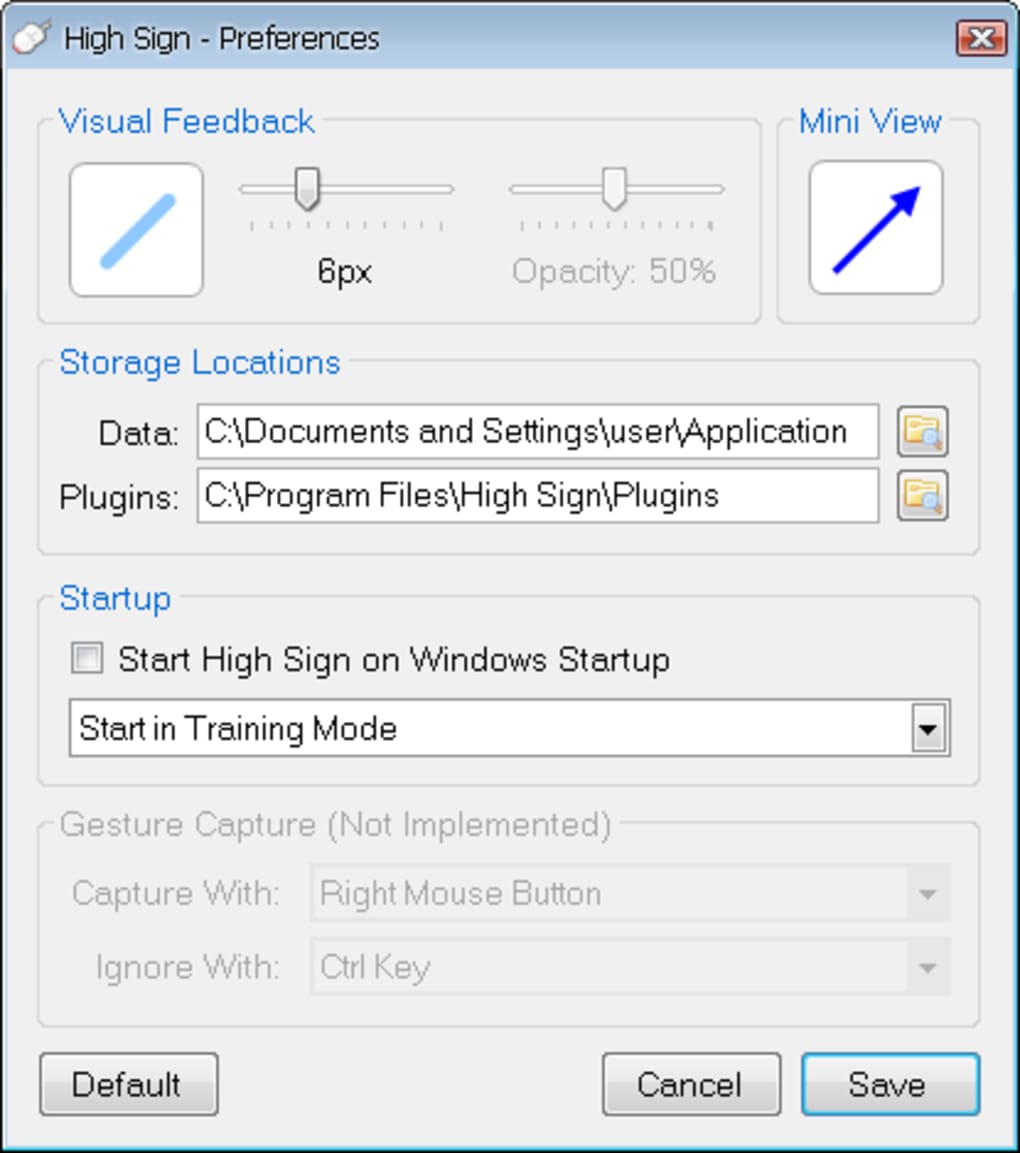
High Sign includes a dual-window interface: one for managing your gesture list and another for configuring actions. This separation ensures clarity and reduces clutter. The tool is lightweight and resource-efficient, consuming minimal CPU and memory, so it won’t slow down your system.
It works across virtually all Windows applications and integrates smoothly with Windows Explorer, making it perfect for file management. Additionally, the software is free to download and use, with no ads or hidden fees—just pure productivity. With regular updates, High Sign remains secure and compatible with the latest OS versions.
How to Install and Use High Sign on Windows, Mac, Android, and iOS
Getting started with High Sign is straightforward and requires just a few simple steps. First, download the latest version from the official website. The installer is small, fast, and compatible with Windows 7 and later, as well as macOS 10.12 and above. For mobile users, High Sign also offers Android and iOS apps, allowing gesture control on tablets and smartphones.
Once downloaded, run the installer and follow the on-screen prompts. The setup process takes less than a minute. After installation, launch High Sign and allow it to run in the background.
The app will appear in your system tray (Windows) or menu bar (Mac), ready to activate. To begin using gestures, open the High Sign interface from the tray icon. Here, you’ll see two main panels: one for gestures and another for actions.
To create your first gesture, click “Add Gesture,” then enter a name. Switch to Training Mode and draw your desired shape—like a circle or a “V” shape—with your mouse. Once drawn, assign it to an action, such as “Copy,” “Open Notepad,” or “Insert Text.” You can even assign complex scripts or macros. After saving, test your gesture by drawing it in any open application. The software responds instantly, confirming your action with a subtle visual cue.
For advanced users, High Sign supports scripting via external tools, enabling automation beyond basic functions. You can also export and import gesture sets, making it easy to share configurations across devices. Regular updates ensure compatibility with new OS versions and add new features. With its intuitive design and real-time feedback, High Sign is accessible even for beginners.
Compatibility and System Requirements
High Sign is designed to be cross-platform compatible, supporting Windows, Mac, Android, and iOS. This versatility makes it a valuable tool for users who switch between devices throughout the day. On Windows, it works seamlessly with all major applications, including Microsoft Office, web browsers, media players, and development environments. It also integrates directly with Windows Explorer, allowing you to perform file operations using gestures—like dragging a “C” to copy a file or a “S” to save.
For Mac users, High Sign runs smoothly on macOS 10.12 and later, with full access to system-level functions. The app respects Apple’s privacy policies and operates without requiring administrator privileges in most cases. On Android and iOS, the app offers gesture-based navigation for apps, web browsing, and media control, though some advanced features may be limited compared to desktop versions.
System requirements are minimal: a modern processor, at least 512MB of RAM, and 100MB of free disk space. The software is lightweight, consuming less than 10MB of RAM during idle use. It doesn’t require internet access to function, ensuring privacy and reliability. High Sign is also secure by design, with no telemetry or data collection. All gesture configurations are stored locally, giving you full control over your data.
Pros and Cons of High Sign – Honest Review
- Pros: Unlimited gesture creation, intuitive training mode, lightweight and fast, cross-platform support, free to download, integrates with all apps, secure and private, regular updates
- Cons: No official documentation, limited mobile feature set, learning curve for beginners, no built-in gesture library, occasional lag in complex scripts
Overall, High Sign delivers excellent value for users seeking to enhance productivity through mouse gestures. Its ability to customize actions and learn new gestures makes it a powerful tool for power users. The lack of documentation is a notable drawback, but the visual interface and real-time feedback help mitigate this. For those who enjoy experimenting and learning by doing, High Sign is a rewarding experience.
Frequently Asked Questions (FAQ)
- Q: Is High Sign free to use?
Yes, High Sign is completely free to download and use with no ads or premium features. - Q: Does High Sign work on Mac and mobile devices?
Yes, High Sign supports Windows, Mac, Android, and iOS, though some features are optimized for desktop use. - Q: Can I share my gesture configurations with others?
Yes, you can export and import gesture sets, making it easy to share or backup your setup. - Q: Is High Sign secure?
Absolutely. High Sign does not collect user data or send information online. All settings are stored locally. - Q: How do I update High Sign?
The software checks for updates automatically. You can also manually download the latest version from the official website.
Conclusion: Boost Your Productivity with High Sign
If you're serious about improving your workflow and reducing repetitive tasks, High Sign is a must-try tool. Its ability to turn simple mouse movements into powerful commands makes it a natural extension of your keyboard shortcuts. Whether you're editing documents, managing files, or browsing the web, High Sign helps you work faster and smarter. While the absence of documentation may frustrate some users, the intuitive design and training mode make it easy to learn on the go.
With free downloads available for Windows, Mac, Android, and iOS, there’s no reason not to give it a try. Download High Sign today and unlock a new level of efficiency. Start creating your own gestures, automate your daily tasks, and experience the future of computer control—one swipe at a time.







